The Short Answer
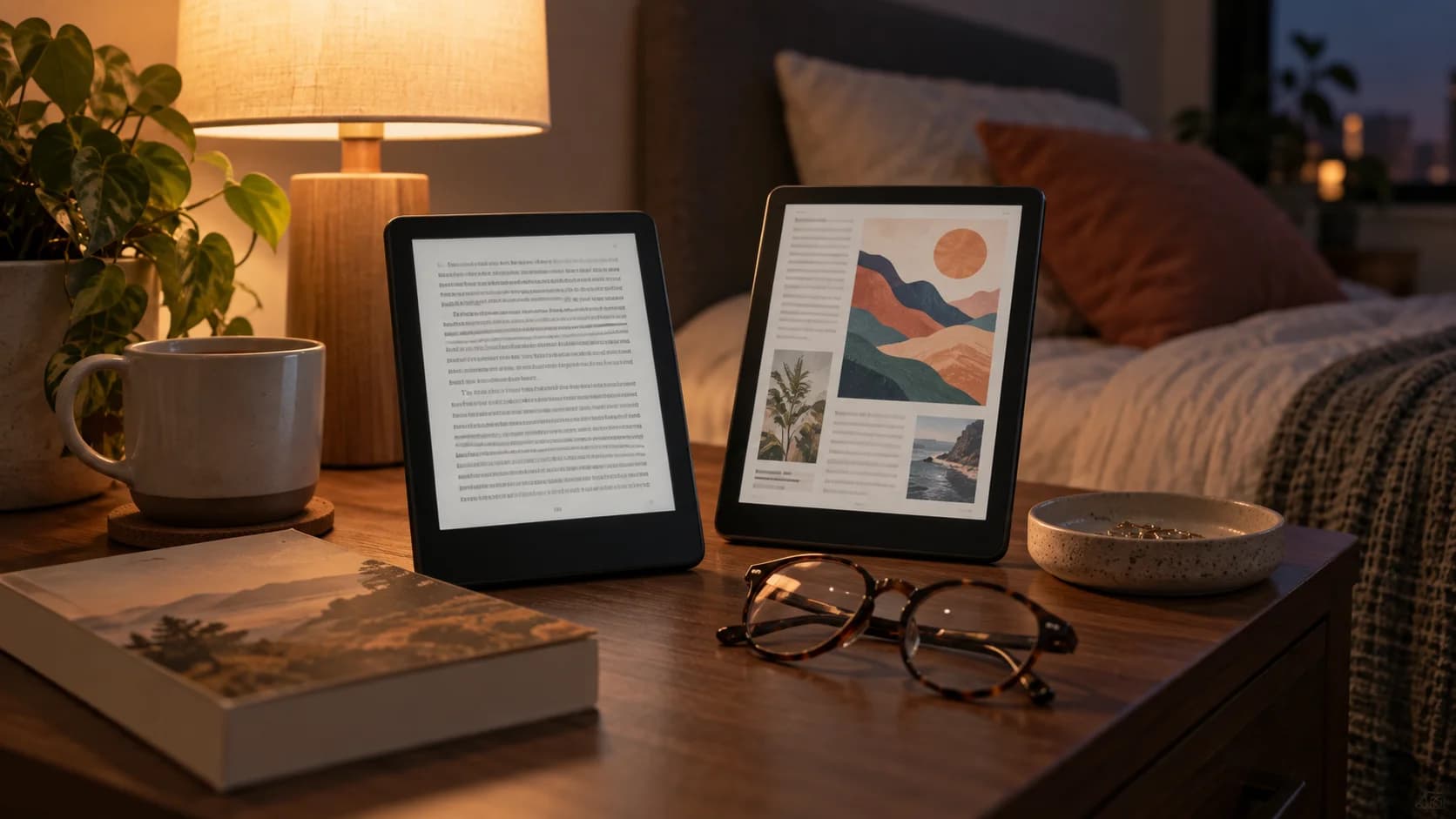
The best e-reader in 2026 depends less on the brand name and more on how you read. A dedicated black-and-white E Ink reader is still the simplest choice for novels, library books, and long nighttime reading. A color E Ink reader makes sense for comics, magazines, children’s books, textbooks, and illustrated nonfiction, but color pages still usually look softer than black-and-white text. A stylus e-note is better for people who mark PDFs or take handwritten notes. A tablet is better for video, apps, web browsing, and color-rich documents, but it is not as restful for book-length reading.
The category is expanding because E Ink technology is improving. E Ink says Kaleido 3 supports 4,096 colors, 16 levels of grayscale, 300ppi black-and-white resolution, and 150ppi color resolution, with improved color saturation over Kaleido Plus E Ink Kaleido 3. E Ink Gallery 3 is another color display approach, with faster color switching than earlier Gallery technology and 300ppi resolution E Ink Gallery 3. Those improvements make color e-readers more compelling, but they do not erase the basic buying question: what kind of reading do you actually do?
E Ink Still Has A Clear Purpose
E Ink exists for a different job than a phone or tablet screen. It reflects light more like paper, uses very little power between page turns, and is built for quiet reading rather than constant interaction. That is why e-readers can feel calmer than tablets. They remove notifications, app switching, bright glass, and the temptation to do anything except read.
This is especially useful for people trying to rebuild a reading habit. A dedicated device can reduce friction because it opens directly to books, highlights, or notes. It also travels well. Many e-readers store thousands of books, last much longer on a charge than tablets, and remain readable in bright light. The tradeoff is that they are slower, simpler, and less flexible.
Black-And-White Is Still Best For Most Books
For novels, memoirs, essays, and most nonfiction, black-and-white E Ink remains the cleanest experience. Text is sharp, battery life is strong, and prices are usually lower than color models. A color screen may sound better, but if 95 percent of your reading is plain text, you may be paying for a feature that rarely matters.
That does not mean color is a gimmick. It means the use case should be clear. If you read comics, travel guides, recipe books, textbooks, children’s books, manga with color pages, or magazines, color can make the device feel more complete. WIRED’s 2026 e-reader guide highlights color models among its picks while noting that dedicated e-readers can store large libraries and use E Ink screens to feel more paper-like than phones or computers WIRED e-reader guide.
Color E Ink Has Tradeoffs
Color E Ink is improving, but buyers should still understand the compromise. Kaleido-style displays commonly show sharper black-and-white text than color images. E Ink lists Kaleido 3 at 300ppi for black and white and 150ppi for color E Ink Kaleido 3. That means covers, comics, charts, and illustrations can look pleasant, but not tablet-vivid.
Gallery 3 points to a more advanced color future, with 300ppi resolution and faster update modes than earlier Gallery displays E Ink Gallery 3. Still, display technology is only part of the device. Software, store access, battery life, file support, page-turn speed, front lighting, and price can matter more in daily use than the panel alone.
Ecosystem Matters More Than Specs
E-reader shopping often becomes a Kindle versus Kobo versus Boox conversation, but the deeper issue is ecosystem. Where do your books live? Do you buy mostly from Amazon? Do you borrow from libraries? Do you read EPUB files? Do you need Google Play apps? Do you care about note export, cloud sync, or sideloading? A technically impressive device can be a poor choice if it does not support your reading sources.
Reviewers are increasingly highlighting this split. TechRadar’s current e-reader coverage weighs factors such as screen quality, format support, repairability, interface, and ecosystem openness, while noting that Kindle remains strong for Amazon users and Kobo stands out for versatility and library integration TechRadar e-reader guide. The right choice is the one that makes getting books easy.
Stylus Models Are For A Different Reader
Large e-readers and e-notes are not just bigger Kindles. They are closer to digital paper notebooks. They make sense for people who mark PDFs, annotate research, write meeting notes, sketch ideas, or want a distraction-light workspace. They are usually more expensive and less pocketable, so they should solve a real workflow.
Before buying a stylus model, check latency, pen feel, palm rejection, notebook organization, PDF handling, export options, and cloud sync. A beautiful writing surface is less useful if your notes are trapped or hard to search. Students and professionals should also check whether the device handles the file formats they actually receive.
What To Check Before Buying
Start with size. Six-inch readers are portable; seven- and eight-inch readers feel more comfortable for many adults; ten-inch-plus devices are better for PDFs and notes. Then check lighting, waterproofing, page-turn buttons, storage, audiobook support, Bluetooth, library access, file support, and repairability. If you read at night, front-light quality may matter more than processor speed.
Also consider household compatibility. If your family already buys books in one ecosystem, switching can create friction. If you travel often, battery life and USB-C charging matter. If you read comics, check color quality and storage. If you borrow from the library, confirm support in your country before assuming it works.
Price timing matters too. E-readers often receive meaningful discounts during holiday sales, back-to-school periods, and retailer-specific events. If your current device still works, waiting for a sale can make a premium model easier to justify. If you are replacing a broken reader, prioritize the ecosystem and screen first, then accessories later.
Bottom Line
E-readers in 2026 are no longer one-size-fits-all. Black-and-white models remain the best value for most book readers. Color E Ink is useful for visual reading, but buyers should accept softer color and higher prices. Stylus e-notes are powerful for annotation and writing, but only if they fit your workflow. Tablets are flexible, but less restful.
The smartest buying order is simple: choose reading type first, ecosystem second, screen size third, and special features last. A good e-reader disappears into the habit of reading. If the device makes books easier to start and finish, it is doing its job.
Sources
- E Ink Kaleido 3
E Ink | Checked
- E Ink Gallery 3
E Ink | Checked
- The Best E-Readers for Every Kind of Reader
WIRED | Published | Checked
- Best E-Reader
TechRadar | Checked
Editorial disclosure
This independent e-reader buying guide was written in Codex for editorial review using cited display-technology and product-testing sources. It is not sponsored by any e-reader maker.